
- How do you get a virtual phone number?
- Step 1: Decide what you need
- Step 2: Choose a provider
- Step 3: Pick your number and verify your business
- Step 4: Set up routing and call answering
- Step 5: Connect your CRM and helpdesk
- What is a virtual phone number?
- What types of virtual phone numbers are there?
- What are the ways to get a virtual phone number?
- How much does a virtual phone number cost?
- How does a virtual phone number compare to a traditional phone line?
- Which virtual phone number providers are best for business teams?
- How do you get a virtual phone number with Aircall?
- Get a virtual number that answers for you
- Frequently asked questions

Ready to build better conversations?
Simple to set up. Easy to use. Powerful integrations.
Get free access- How do you get a virtual phone number?
- Step 1: Decide what you need
- Step 2: Choose a provider
- Step 3: Pick your number and verify your business
- Step 4: Set up routing and call answering
- Step 5: Connect your CRM and helpdesk
- What is a virtual phone number?
- What types of virtual phone numbers are there?
- What are the ways to get a virtual phone number?
- How much does a virtual phone number cost?
- How does a virtual phone number compare to a traditional phone line?
- Which virtual phone number providers are best for business teams?
- How do you get a virtual phone number with Aircall?
- Get a virtual number that answers for you
- Frequently asked questions
Ready to build better conversations?
Simple to set up. Easy to use. Powerful integrations.
Get free accessTo get a virtual phone number, sign up with a cloud phone provider, choose a local, toll-free, mobile, or international number, verify your business, then set up call routing and connect your CRM.
Most business numbers are live in minutes. Free apps like Google Voice work for one person, but teams need shared numbers, routing, and integrations.
With Aircall, every plan includes a local or toll-free number in 100+ countries, extra numbers cost $6 a month, and AI Voice Agents can answer the number 24/7.
How do you get a virtual phone number?
You can get a business virtual phone number in five steps:
Decide what you need: how many numbers, which countries, and which number types.
Choose a provider: compare integrations, AI features, coverage, and price.
Pick your number and verify your business: some countries require documents.
Set up routing and call answering: phone menus, business hours, ring groups, and AI.
Connect your CRM and helpdesk: so every call logs automatically.
Step 1: Decide what you need
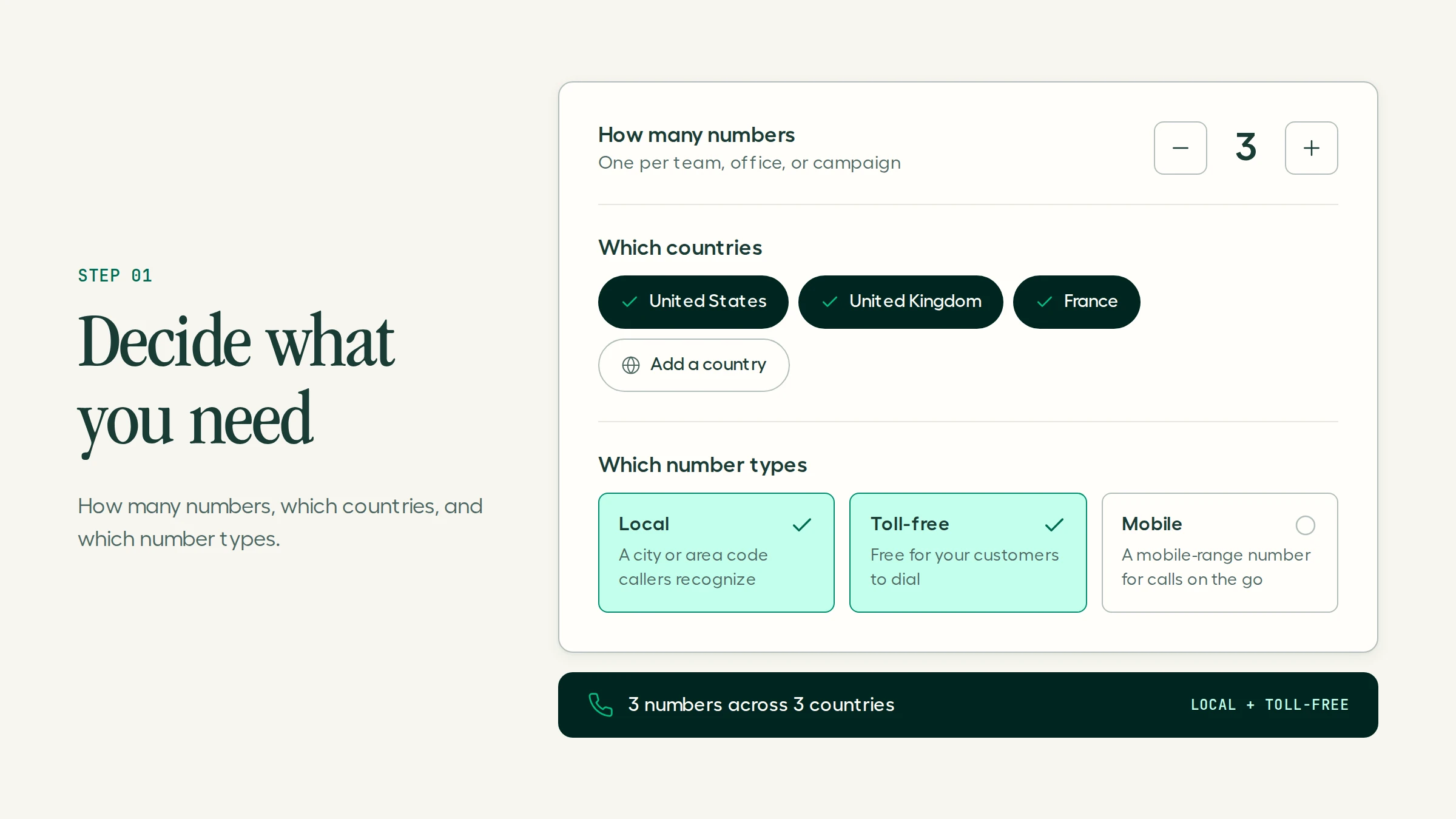
Answer four questions before you compare providers:
How many people need to make or take calls?
Which countries do your customers call from?
Do you need local numbers, a toll-free number, or both?
Will you mostly take inbound support calls, make outbound sales calls, or both?
The answers decide which number types and plan you need, so you don't pay for features you won't use.
Step 2: Choose a provider
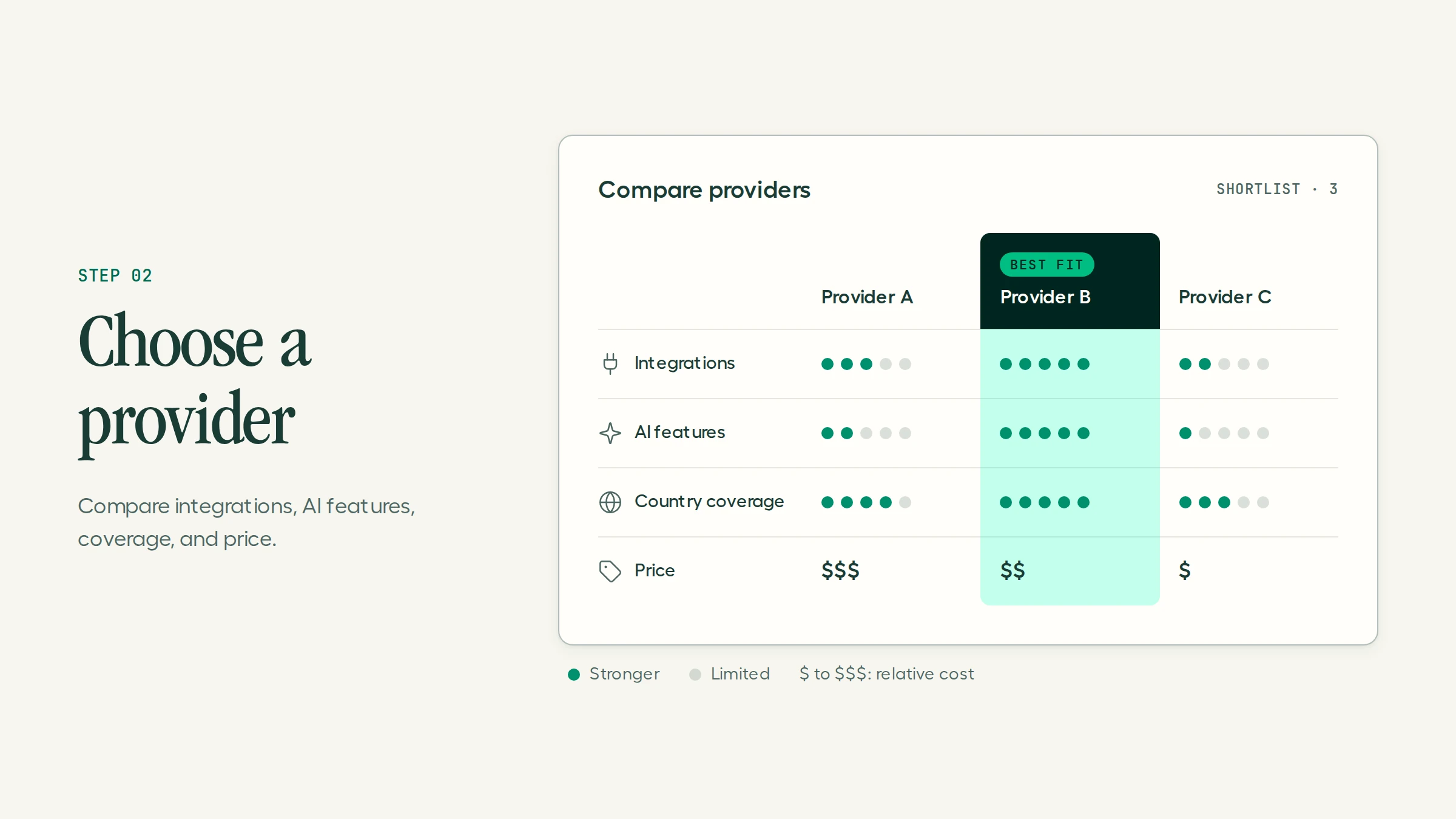
Look past the price of the number itself. The things that affect your team every day are:
Integrations: native connections to your CRM and helpdesk.
AI features: call transcription, summaries, and an AI agent that can answer calls when nobody's free.
Coverage: numbers in every country you sell to.
Team features: shared numbers, routing, and reporting.
Compare options in the provider table further down this page.
Step 3: Pick your number and verify your business
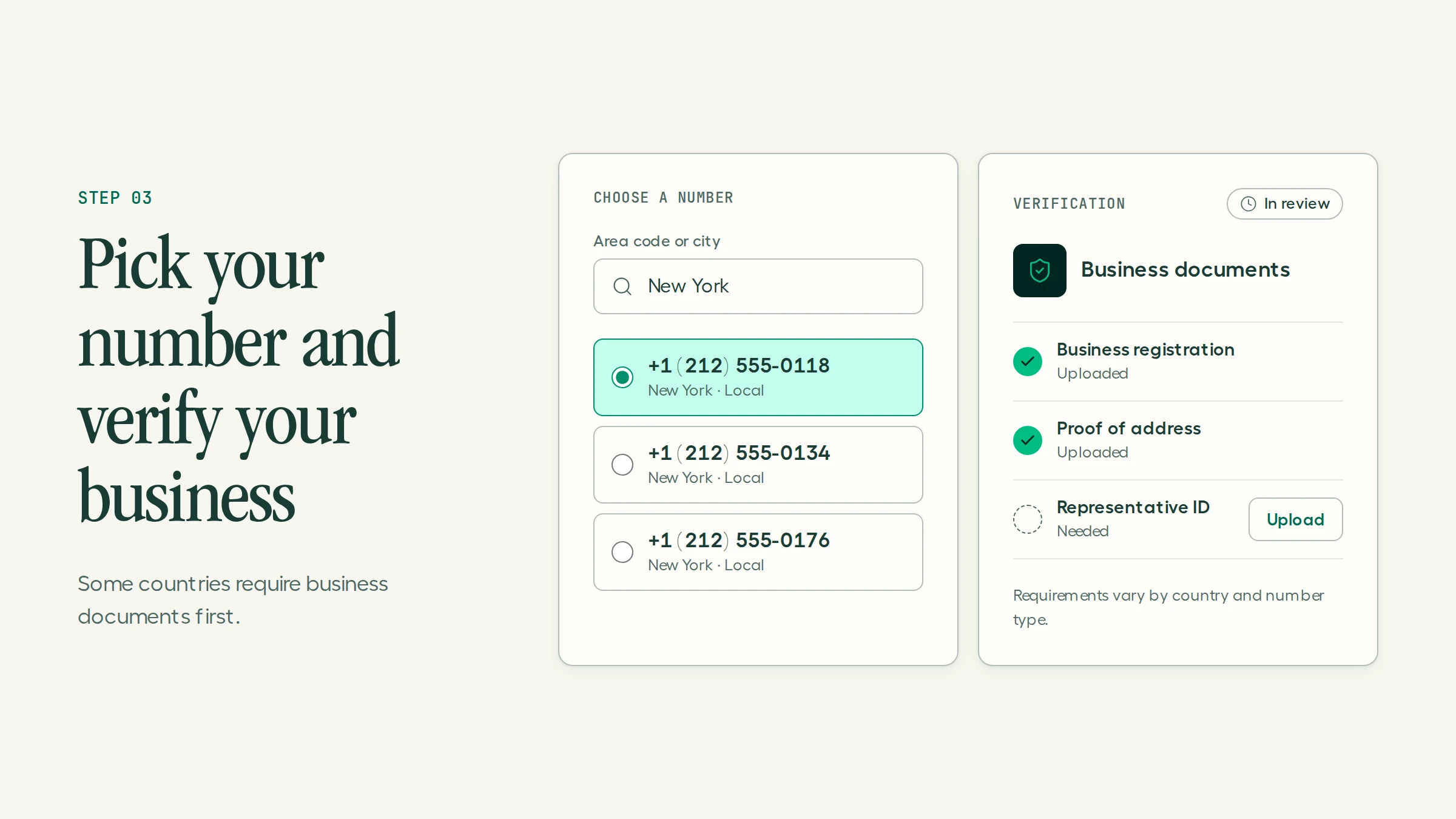
Choose a local number in the city where your customers are, a toll-free number for nationwide support, or international numbers for each market you serve. Some countries need no paperwork. Others, like Australia and Germany, ask for proof of identity and address before the number goes live.
Most countries ask for the same baseline information:
Requirement | US | UK | Australia | Germany |
Business address | Required | Required | Required | Required |
Emergency address | If different | If different | If different | Required |
Business registration number | Required | Required | Required | Required |
Company website | Required | Required | Required | Required |
Authorized representative | Required | Required | Required | Required |
Verification time | Minutes to days | Minutes to days | Minutes to days | Varies by carrier |
Requirements change with local rules and number type. Aircall keeps a full country-by-country requirements list.
Read more:
Step 4: Set up routing and call answering
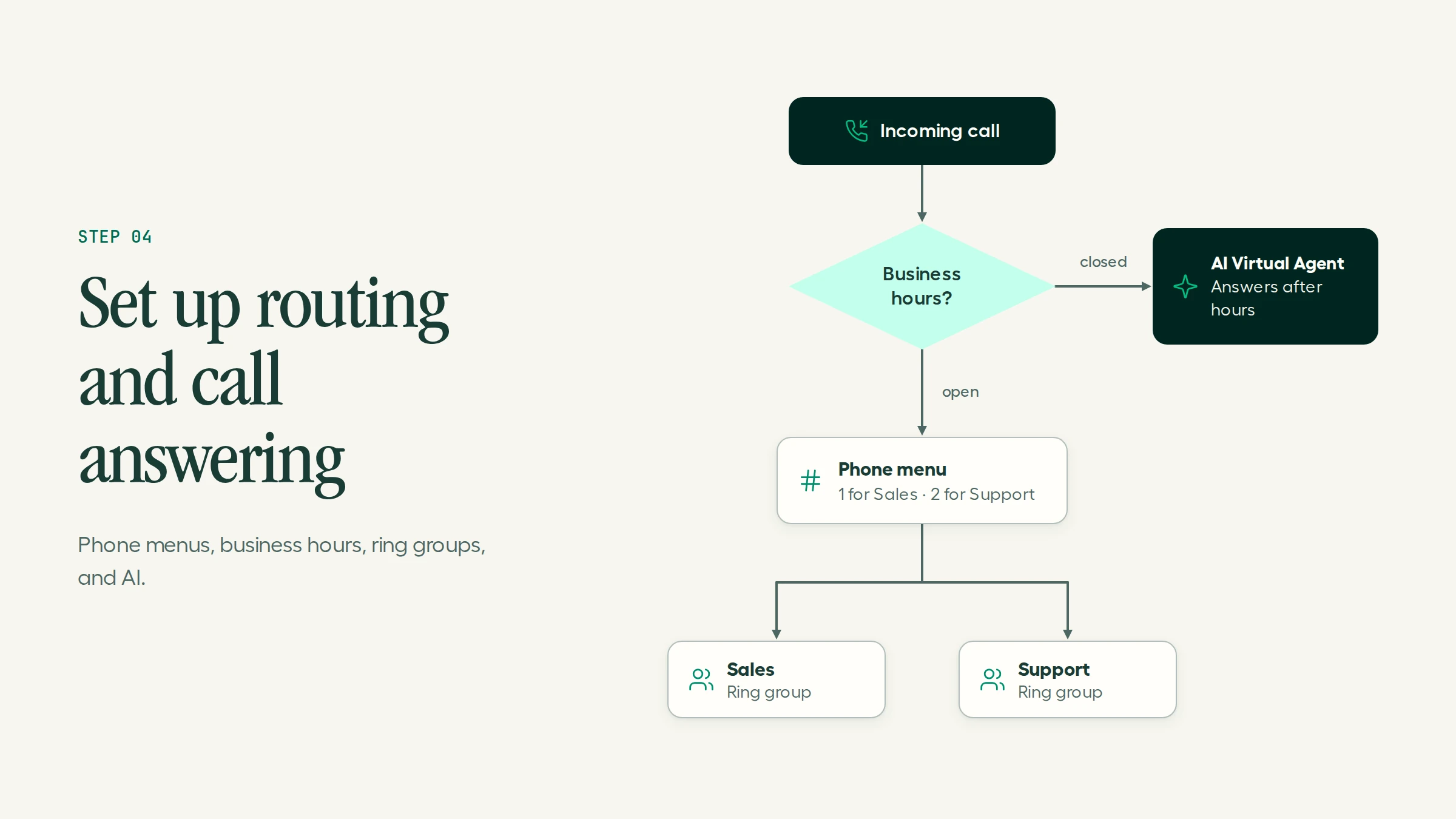
This is where a virtual number becomes a phone system. Set up:
Phone menus (IVR) to send callers to the right team.
Business hours so after-hours calls go to voicemail, another time zone, or AI.
Ring groups so several reps can answer the same number.
AI call answering so an AI receptionist picks up overflow and after-hours calls, answers common questions, and passes complex calls to a rep with full context.
Step 5: Connect your CRM and helpdesk
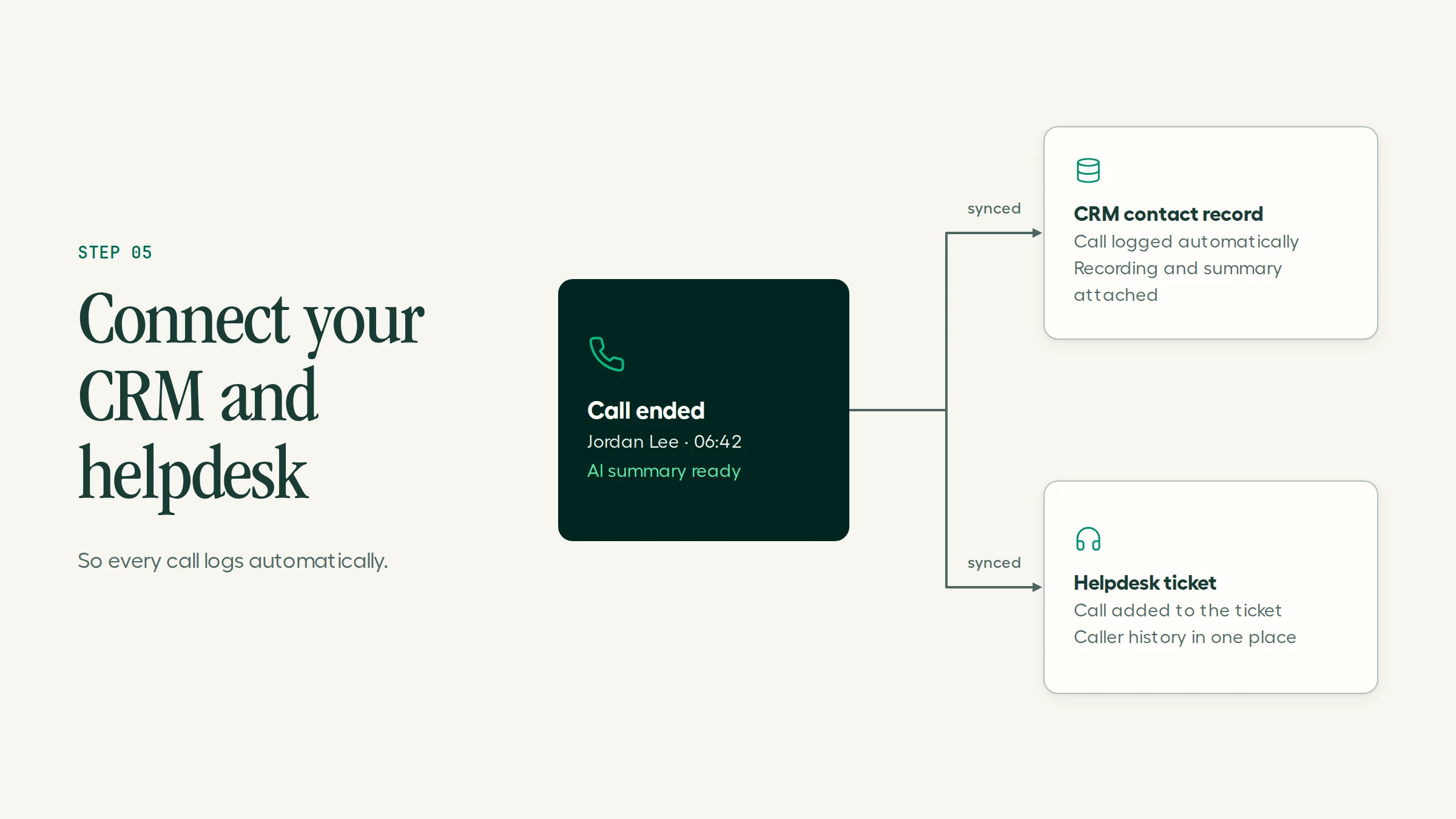
A number on its own misses most of the value. Connect it to your tools so calls, recordings, and notes log to the right record, and reps see who's calling before they answer. Aircall connects natively with HubSpot, Salesforce, Zendesk, and 250+ other integrations. In HubSpot, for example:
Contacts sync, so reps see the caller's name, company, and deal owner when the call connects.
Every call, recording, and note logs to the right contact, deal, or ticket.
Reps call from HubSpot records with click-to-call.
What is a virtual phone number?
A virtual phone number is a phone number that runs over the internet instead of a physical phone line or SIM card. It's tied to an online account, not a device, so your team can make and take calls from a laptop, mobile app, or desk phone, wherever they are.
Callers dial it like any other number. They can't tell whether your team is in an office, at home, or in another country.
What types of virtual phone numbers are there?
Number type | What it is | Best for |
Local | A number tied to a city or region | Looking local to customers in a specific market |
Toll-free | A number callers dial for free | Nationwide support and sales lines |
Mobile | A number in a country's mobile range | Markets where customers expect to call or text a mobile |
National | A non-geographic number for a whole country | A single national presence without a city tie |
International | Local or toll-free numbers in other countries | Serving customers abroad without opening offices |
What are the ways to get a virtual phone number?
The right route depends on whether the number is for you or for a team.
Option | Examples | Best for | Limits |
Free calling apps | Google Voice (personal), TextNow | Personal use and privacy | Limited support, no team features, numbers can be reclaimed if unused |
Second-line apps | Line2, Grasshopper | Solo owners separating work and personal calls | Few integrations and little AI |
Business phone systems | Aircall, RingCentral, Dialpad | Teams that share numbers and log calls to a CRM | Per-user pricing |
Travel eSIM add-ons | eSIM providers with number add-ons | Staying reachable while abroad | Personal use only |
If you're weighing second-line apps, see our guide to Line2 alternatives.
How much does a virtual phone number cost?
Personal numbers range from free to a few dollars a month. Business virtual numbers usually come with a phone system plan priced per user:
Free apps: $0, with limits on support, features, and how long you keep the number.
Second-line apps: roughly $10 to $17 a month per line.
Business phone systems: roughly $10 to $35 per user per month, with numbers and calling included.
With Aircall, every plan includes one local or toll-free number, and each additional number costs $6 a month. Plans start at $30 per license per month billed annually, with a 3-user minimum. Every plan also includes 50 AI Voice Agent minutes a month. See current pricing.
How does a virtual phone number compare to a traditional phone line?
Factor | Traditional phone line | Virtual phone number |
Tied to | A physical device at a fixed address | An online account, usable on any device |
Setup time | Days to weeks, often with a technician | Minutes |
Hardware | Desk phones, wiring, a phone system | None beyond laptops and mobiles |
Adding numbers | A new line for each number | Added from your account in minutes |
Remote work | Call forwarding workarounds | Built in |
CRM logging | Manual | Automatic with integrations |
AI features | Not available | Transcription, summaries, and AI call answering |
International coverage | A separate contract per country | Numbers in many countries from one account |
Which virtual phone number providers are best for business teams?
Prices are in USD, as published in October 2026.
Provider | Best for | AI call answering | Starting price |
Aircall | Sales and support teams that need CRM integrations and AI | AI Voice Agents, 50 free minutes a month | $30/license/month (annual), 3-user minimum |
RingCentral | One vendor for calls, video, and messaging | AI Receptionist add-on from $39/month | $20/user/month (annual) |
Dialpad | Calls and meetings in one app | AI agents, custom pricing | $15/user/month |
Quo (formerly OpenPhone) | Small teams that work from their phones | Sona AI agent, billed in credits | $15/user/month (annual) |
Google Voice | Google Workspace users on a budget | No AI agent | $10/user/month |
Grasshopper | Solo owners who need one business number | Limited | $14/month |
For detailed reviews, see our guide to Dialpad alternatives.
How do you get a virtual phone number with Aircall?
There are three ways to set up a number in Aircall.
Buy a new number
Go to Aircall Dashboard > Numbers.
Select the country and number type.
Complete any required verification for that country.
Assign the number to a team or user.
Start making and taking calls.
Port an existing number
If customers already know your number, port it to Aircall at no additional cost. You keep the same number and get Aircall's full feature set. Porting usually takes 2 to 4 weeks, depending on the carrier and country.
Add an external number temporarily
If you're still under contract with another provider, contact Aircall support to add your existing number as an external number. Treat it as a bridge to porting: Aircall-hosted numbers give you full feature access and more reliable caller ID.
Get a virtual number that answers for you
Aircall gives your team a business phone system with numbers in 100+ countries, 250+ integrations, and AI Voice Agents that answer when nobody's free. Calls, SMS, and WhatsApp can all run through the same number with AI Messaging Agents.
Frequently asked questions
How much does a virtual phone number cost?
Personal virtual numbers range from free to a few dollars a month. Business numbers usually come with a phone system plan at roughly $10 to $35 per user per month. Aircall includes one local or toll-free number in every plan, and extra numbers cost $6 a month.
Can I get a virtual phone number for free?
Yes, for personal use. Apps like Google Voice and TextNow offer free numbers with limits on support and features, and some reclaim numbers you don't use. Business teams usually need a paid plan for shared numbers, routing, and integrations.
Are virtual phone numbers secure?
Business-grade providers encrypt calls and hold security certifications. Ask for SOC 2 Type II, GDPR, and CCPA compliance at minimum. Aircall meets all three and supports HIPAA through a Business Associate Agreement on request.
Can I keep my existing number?
Usually, yes. Most providers support number porting. With Aircall, porting has no additional cost and usually takes 2 to 4 weeks. Keep your old account active until the port completes.
Can I use one virtual number on several devices?
Yes. A virtual number belongs to your account, not a device, so it rings on your laptop, mobile app, and desk phone at the same time.
Is a virtual phone number the same as a VoIP number?
Mostly, yes. A VoIP number is a number that carries calls over the internet, and virtual numbers use that same technology. "Virtual number" usually stresses that the number isn't tied to a device or address. Learn more about how a VoIP system works.
Can a virtual phone number answer calls automatically?
Yes, with an AI agent. Aircall's AI Voice Agents answer calls to your number 24/7 in 38 languages, handle common requests, and pass complex calls to your team with the full conversation attached. Every plan includes 50 free minutes a month.
Published on October 29, 2026.
